


If you are asking “how can I earn money from YouTube,” start with the audience you can help and the videos you can make well. TubeMagic is an AI tool for planning and writing YouTube content. It may be useful when research, scripting, and preparing uploads slow you down, but purchasing it does not create an income stream by itself.
This TubeMagic review examines its advertised workflow, subscription costs, and purchase conditions. The central question is whether the software can support a sustainable publishing routine at a price that makes sense for your channel.
Last Fact-Checked: September 18, 2026. This is a desk-researched review of public documentation, not a hands-on account test. Product capabilities below are vendor-described; practical recommendations are editorial analysis. No independent performance or earnings measurements were established.
Affiliate Disclosure: This article may contain affiliate links. If you make a purchase through one of these links, we may earn a commission at no additional cost to you. This does not influence our editorial evaluation.
Quick editorial verdict
TubeMagic is worth considering for creators who already have useful subjects to cover but struggle to turn them into publishable scripts. Its strongest potential advantage is keeping several preparation tasks in one workflow. Its biggest limitation is that writing assistance cannot establish audience demand, prove factual claims, or ensure monetization.
A beginner still deciding what to publish should first develop a small set of original video concepts. Paying for software before identifying a recurring production problem makes its value harder to judge.
TubeMagic quick facts
| Item | Verified public information |
| Product and operator | TubeMagic from Tube Magic LLC |
| Category | Browser-based AI software for YouTube creators |
| Listed annual plan | Premium at $497 per year |
| Trial | Official FAQ says free trials are disabled |
| Refund window | Terms specify 30 days from purchase |
| Most promising fit | Creators who regularly need script drafts |
Sources: TubeMagic homepage, pricing, and terms.
How can I earn money from YouTube with a realistic plan
Think about the business model before the writing tool. A tutorial channel might support advertising, paid brand work, or sales of the creator’s own service. A product demonstration channel might also use disclosed affiliate links. These are possible business models, not expected earnings from using TubeMagic.
Understand YouTube monetization requirements
For advertising revenue eligibility, YouTube lists 1,000 subscribers plus either 4,000 qualified public watch hours within 12 months or 10 million qualified Shorts views within 90 days. Watch time from the Shorts Feed does not count toward the 4,000-hour route. Meeting the numbers triggers eligibility to apply, not automatic acceptance. Channels must meet policy and account requirements, including an eligible country, two-step verification, advanced features access, and an AdSense for YouTube account. YouTube Partner Program requirements.
Earlier access to selected fan-funding and Shopping features is available in eligible countries, including the United States. This route requires 500 subscribers, three valid public uploads in 90 days, and either 3,000 qualified watch hours in 12 months or 3 million qualified Shorts views in 90 days. Individual features have additional requirements; this lower threshold does not unlock advertising revenue sharing. Expanded Partner Program.
Choose revenue that fits the content
For a small business, a useful video that leads to a qualified service inquiry may matter more than an advertising payment. For an educational channel, dependable audience interest may be the first milestone. Choose one primary objective so you can judge whether an additional software bill helps you reach it.
Commercial relationships also require attention. YouTube instructs creators to declare branded content through its paid-promotion setting and comply with applicable disclosure requirements. Make sponsorships and affiliate relationships clear to viewers. YouTube branded content guidance.
What TubeMagic does
TubeMagic presents itself as a YouTube production assistant, with an emphasis on AI scripts. Its homepage describes channel-based style matching, selectable script duration, and reference-video inputs. It also advertises support for more than 95 languages for ideas, titles, tags, descriptions, and community posts; that statement should not be assumed to cover every feature equally. Official product overview.
Its role is preparation. Budget separately for the recording, footage, narration, editing, and review your videos require. A compelling draft still needs an informed creator who can explain the subject and deliver the promised value.

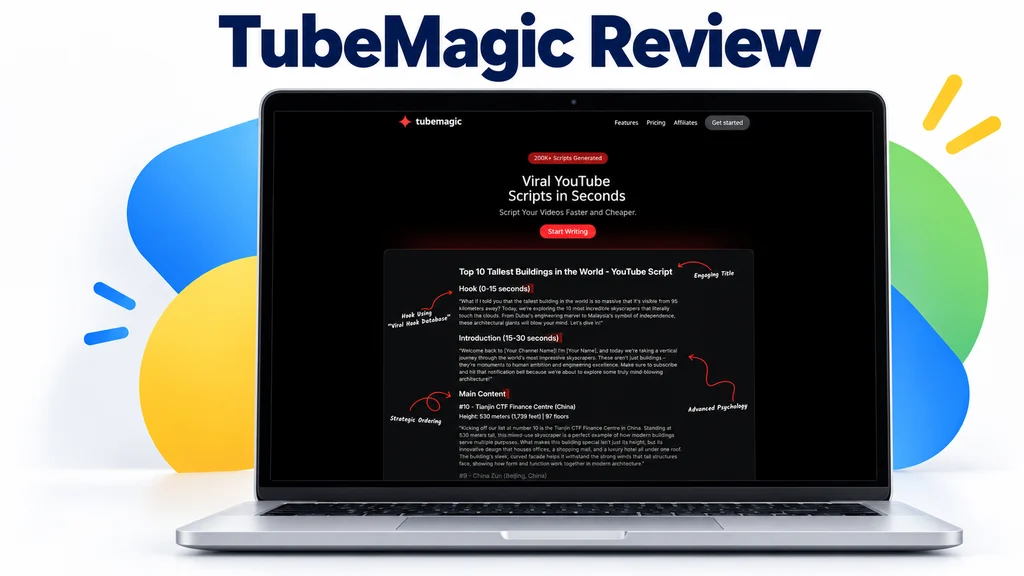
TubeMagic features and their practical value
Script drafting and revision
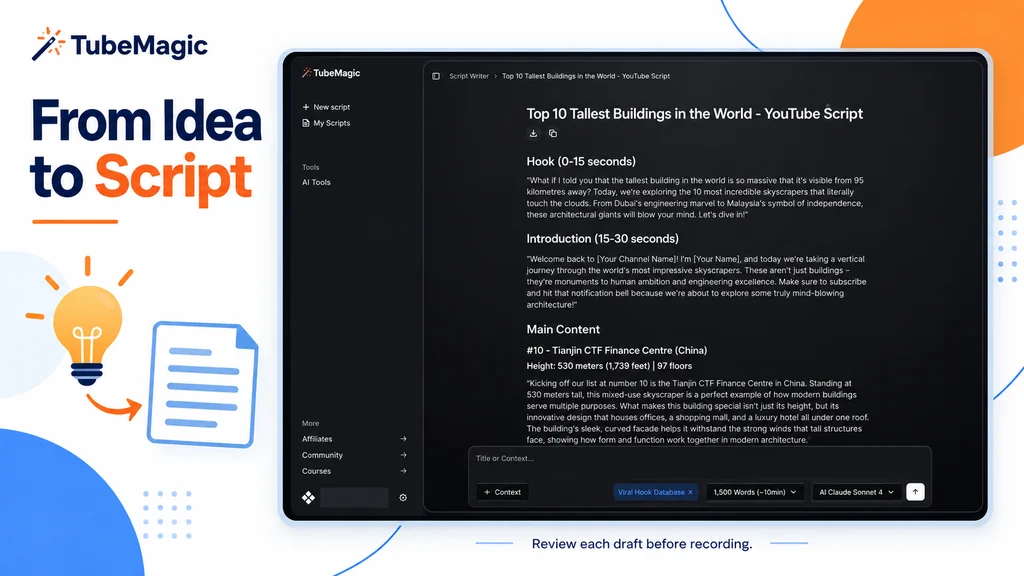
The features page lists adjustable length, channel style inputs, reference videos, and editable drafts with regeneration or chat-based refinement. These are advertised capabilities, not results established in this review. Script writing features.
For a tutorial, begin with the viewer’s problem, your verified steps, and the result you can demonstrate. Evaluate whether the generated opening reaches that problem quickly. Remove invented anecdotes, unsupported statistics, and introductions that delay the answer. Read the script aloud before recording; an estimated video length is only a planning guide.
Topic research and planning
TubeMagic advertises keyword research with volume, competition, and a proprietary Magic Score, alongside a niche explorer, top-video finder, and ideas manager. Research features.
Treat a score as a suggestion to investigate. Ask whether you can contribute a useful demonstration, a clearer explanation, or firsthand evidence. A topic that attracts attention but falls outside your knowledge can increase the time needed for fact-checking. Public documentation reviewed here did not establish an independently audited methodology for the research scores.
Repurposing and thumbnails
The tool lists article-to-script conversion, video transcripts, video-to-script conversion, and thumbnail generation. Content tools.
The strongest editorial use case is adapting your own material. A blog tutorial can become a video with an on-screen demonstration and a more conversational explanation. Rewriting somebody else’s transcript is a much weaker foundation: a new wording alone does not establish original value or permission to reuse source material.
Preparing titles and descriptions
The advertised upload tools include titles, descriptions, tag management, and Warp optimization from an unlisted video. A Chrome extension is also listed, although its current installation and operation were not tested. Upload features.
Use suggestions to sharpen the promise of the video. Check every timestamp and avoid adding claims that the recording does not support. YouTube says tags generally have a minimal discovery role, except in situations such as commonly misspelled terms; titles, thumbnails, and descriptions matter more. YouTube metadata guidance.
Ease of use and setup
The publicly described process appears approachable: supply a topic or relevant source, establish the intended style and length, generate a draft, and revise. That is an assessment of the workflow, not a usability test. Signup friction, dashboard responsiveness, export options, and accessibility could not be verified inside a paid account.
Beginners should start with one video rather than generating an entire calendar at once. Intermediate creators can assess whether drafts reduce revision work. Agencies should confirm team access and client-data handling before adopting it across accounts; the terms prohibit transferring accounts to another party. Account terms.
Output quality and reliability
This review found no basis for a measured claim about generation speed, uptime, viewer retention, ranking gains, or revenue attributable to TubeMagic. The terms provide the service on an available-as-provided basis and do not promise uninterrupted operation. Service terms.
There is also a documentation inconsistency worth resolving before purchase. The homepage names Claude 4.0 and GPT-4o, while the pricing page lists Sonnet 4.6, Gemini Flash, and a premium model labeled Claude Opus 5. These are the vendor’s published labels; actual in-app availability was not verified. Homepage and pricing page.
A useful personal evaluation is to take one subject you know well and record the total time from prompt to recording-ready script. Include research, corrections, and rewriting. A fast first draft provides little value if cleaning it up consumes the time it appeared to save.
TubeMagic pricing and usage limits
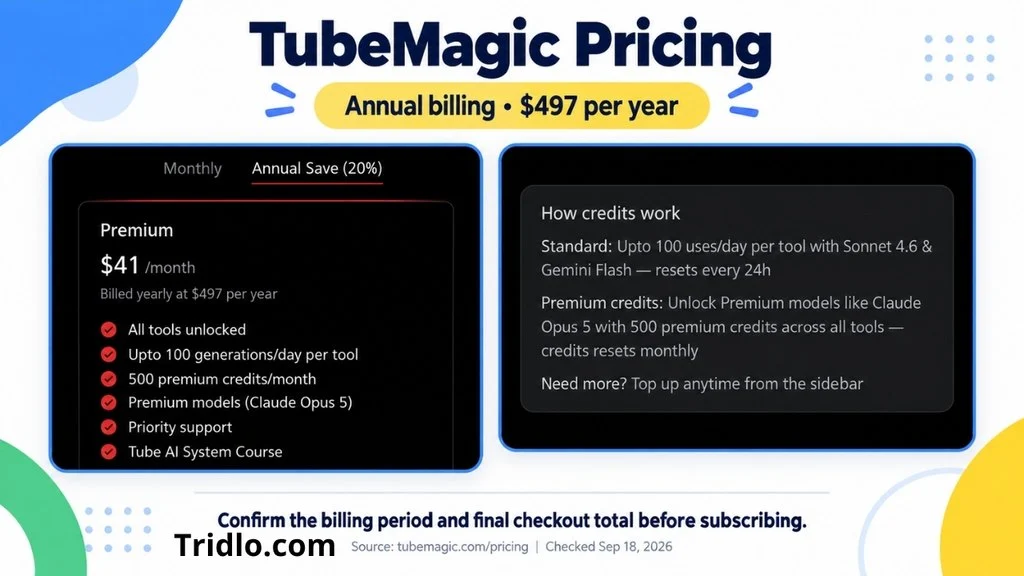
Pricing checked September 18, 2026. The public page exposes an annual Premium subscription. A monthly selector exists, but its exact monthly-billed charge was not confirmed in the retrieved page.
| Billing option | Published charge | Purchase consideration |
| Premium annual | $497 billed yearly | Equivalent to about $41.42 per month; page displays $41/month |
| Monthly billing | Not confirmed | Verify amount and renewal terms in checkout |
| Additional premium credits | Top-ups advertised | Unit prices and purchase conditions not confirmed |
The annual listing includes all tools, up to 100 standard uses daily per tool, 500 premium credits monthly, priority support, and a course. Daily allowances reset every 24 hours; premium credits reset monthly. Per-action premium credit costs and rollover were not confirmed. No distinct introductory or renewal rate was established. Confirm taxes, renewal amount, and the order-specific terms before paying. Official pricing.
Do not interpret a monthly equivalent as permission to pay one month at a time. An annual purchase creates a larger upfront commitment, even if the advertised average appears manageable.
Free access refunds and cancellation
The homepage says free trials are disabled. A permanent free plan was not verified. It advertises a full refund requested by email within 30 days of payment, while the terms state a 30-day purchase window. Renewal-specific refund eligibility and processing times are not clearly established in the reviewed documentation. Homepage FAQ and refund terms.
The privacy page directs customers to the app’s billing portal for cancellation and instructs Digistore24 customers to email support. Payment references are inconsistent: the homepage describes Paddle, while the privacy policy names Stripe and Digistore24. Follow the processor and cancellation instructions on your own receipt, and keep confirmation. Privacy and cancellation policy.
Cancellation and a refund are separate requests. If you want money returned during the eligible period, state that explicitly rather than assuming that stopping renewal will refund the payment.
Privacy security and commercial use
TubeMagic’s privacy policy permits service-related processing, marketing communications, third-party service-provider sharing, and certain legal or business disclosures. It retains information while an account is active or as needed to provide services, with deletion requests handled by email. Privacy policy.
The reviewed pages did not establish two-factor authentication, detailed encryption practices, independent security certifications, or a clear model-training opt-out. Avoid treating a lack of published detail as proof of a security failure; it is an information gap to resolve before supplying sensitive client material.
Commercial use is allowed under the terms, but that does not guarantee exclusive rights to every AI output or clear rights to third-party source content. The terms also allow use of a customer company’s name and logo when signup uses a work email, conditional on continued service use. Businesses should review this clause before enrolling. Commercial and company-name terms.
Customer support
The homepage advertises email support, priority for paying customers, and paid-customer live chat. Its typical weekday response claim is under 12 hours; that is a company statement, not a measured service level in this review. Support information.
Before paying, ask support one concrete question about the credit cost of your intended workflow. A clear answer would help you budget. This review did not verify round-the-clock staffing or phone support.
Using AI without undermining monetization
YouTube’s monetization rules exclude inauthentic content, including repetitive or mass-produced material. Reused-content review is a separate concern. Buying a script tool does not exempt a channel from either policy. Channel monetization policies.
YouTube distinguishes ordinary AI production assistance, such as drafting scripts or titles, from realistic synthetic or meaningfully altered content that requires disclosure. Review the disclosure rules if the finished video contains realistic generated scenes or altered depictions of people. AI disclosure guidance.
For a practical workflow, write down what only you can contribute before opening the tool: a demonstration, a worked example, your own footage, or a carefully supported interpretation. Build the script around that contribution. This is a more defensible use of AI than producing many minimally differentiated videos.
Pros and cons
Reasons to consider it
Several preparation tasks can be evaluated within one subscription.
Editable drafts provide room for a creator’s own expertise and voice.
Public purchase and commercial-use terms provide a basis for reviewing suitability.
Reasons to be cautious
No independently measured production or channel-growth benefit was established here.
Conflicting model and payment references complicate the buying decision.
A prepaid annual subscription may be hard to justify for occasional use.
Privacy details and premium-credit economics need clarification for demanding workflows.
Who should use TubeMagic and who should skip it
TubeMagic is most plausible for a tutorial creator, a blogger adapting original articles, or a small business producing recurring educational videos. Each has source knowledge that can make an AI draft more useful and easier to verify.
Skip or postpone it if you expect a tool to select a profitable business automatically, secure monetization approval, or replace all production work. Creators who publish rarely should also question whether a recurring subscription solves a recurring problem.
Value for money and editorial assessment
Judge value by finished work, not the number of drafts generated. For illustration, someone publishing 48 videos annually would allocate about $10.35 of the $497 annual subscription to each video. At 12 videos annually, that allocation rises to about $41.42. These are cost calculations, not measured savings or earnings forecasts.
Compare that allocation with the hours actually saved after corrections. Include credit purchases and the rest of your production costs. There is not enough hands-on evidence here to assign a defensible numerical score for quality, ease of use, or support, so this review gives a qualitative verdict instead.
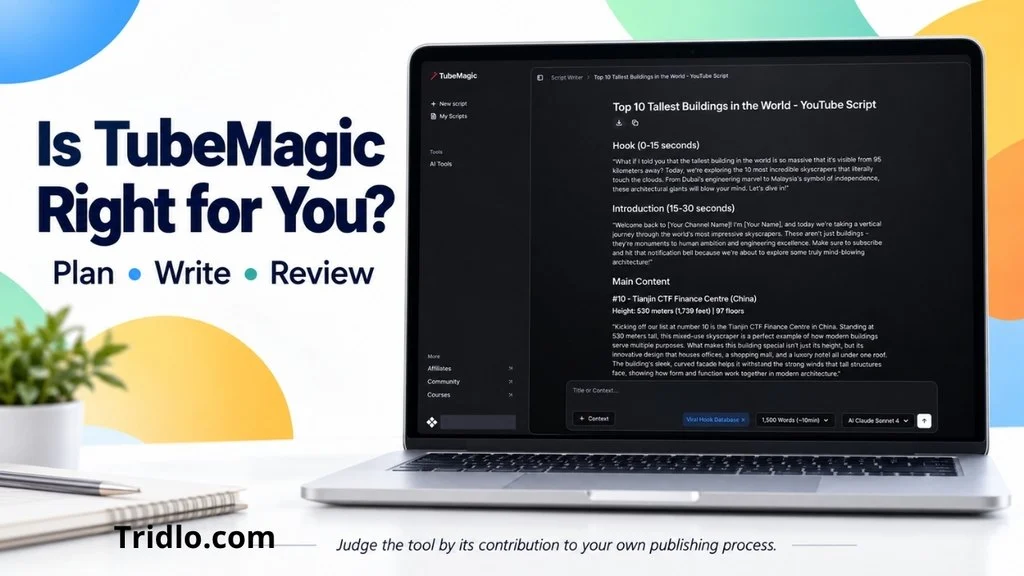
Final verdict
For readers asking “how can I earn money from YouTube,” TubeMagic addresses one practical part of the process: preparing content. It is worth considering when scripting is a persistent bottleneck and you already have something useful to say.
Its value depends on the quality of the drafts you can actually use, the revisions they require, and your publishing frequency. Clarify the billing and model details before committing. If your main challenge is still deciding whom to serve or what to create, work through that decision first.


