



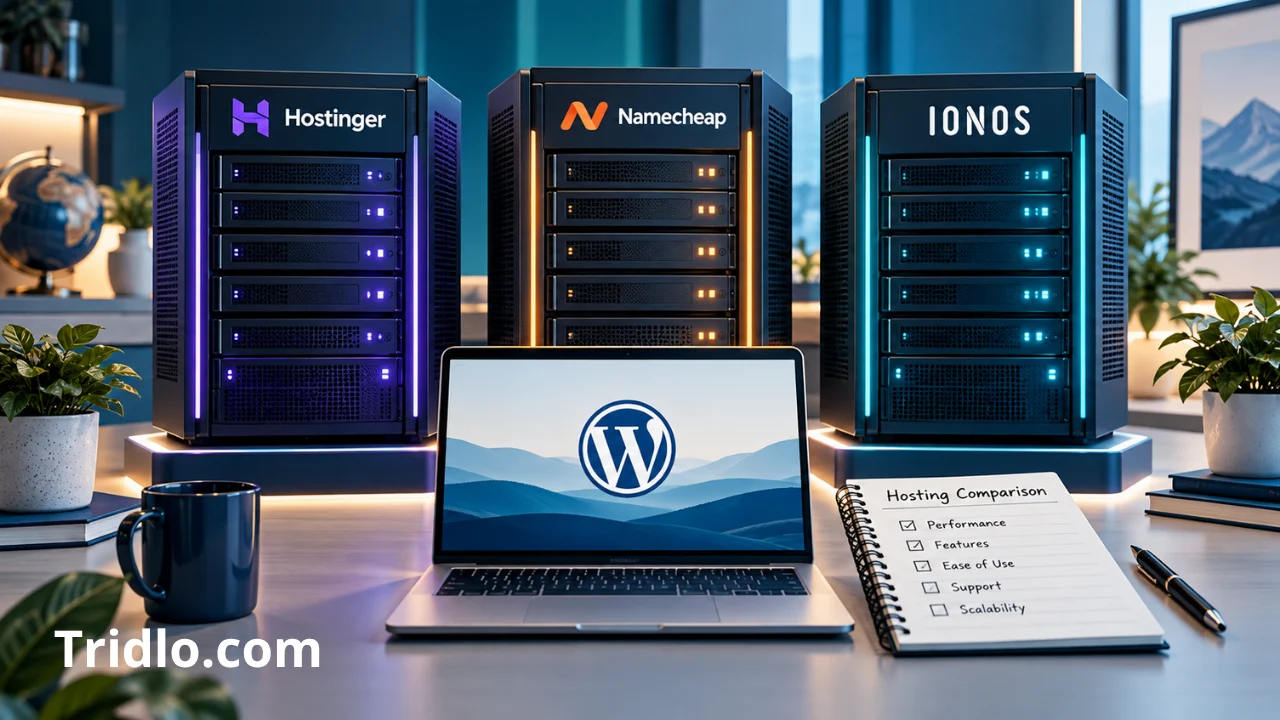
Choosing the best hosting for WordPress starts with a practical question: what does your website need to run well, and what can you afford after the introductory deal ends? A low monthly headline is useful, but the payment term, renewal cost, backups, and available resources determine whether a plan remains a good purchase.
I have used Hostinger to host my websites for years, and I find it a strong option at a price that suits my needs. It is my preferred choice for value based on that experience. Still, readers deserve alternatives: Namecheap offers budget shared hosting, while IONOS advertises a particularly low first-year WordPress deal.
This guide compares those three options for U.S. readers. It combines my stated experience with current provider specifications and practical buying criteria. It does not present independent speed benchmarks or measured uptime results. Prices were checked October 7, 2026; offers, taxes, locations, and checkout terms can change.Contents
Best Hosting for WordPress: Compare Your Options

The three plans below serve different buying priorities. Hostinger’s quoted discount requires a long prepaid term. Namecheap’s Stellar offer supports multiple small websites. IONOS Grow combines a low introductory rate with a one-site allowance. These are selected budget options, not a benchmark ranking of every hosting company.
Hostinger: My Preferred Choice Based on Years of Use
Hostinger is the first provider I would consider for my own budget-conscious WordPress projects because I have used it for years and am satisfied with its value. That is a personal recommendation, rather than proof that it will outperform every competitor on every website.
The important decision is the subscription tier. A plan that fits a modest blog may need additional resources or more frequent backups when the same site becomes an active publication. For a closer look at the platform, read our Hostinger review for WordPress.
Namecheap: A Budget Alternative
Namecheap Stellar is shared hosting that can run WordPress, rather than a directly identical package to every managed WordPress offer. Its published price starts at $2.28 per month equivalent, with a $5.88 monthly regular rate shown. Annual and biennial discounts do not apply to renewals, so confirm the selected term rather than treating the advertised equivalent as a month-to-month promise.
Stellar includes three websites and 20 GB SSD storage. Namecheap describes its internal backups as ideally twice weekly and explicitly says they are not guaranteed. A buyer choosing this tier should arrange independent backups. See the official Namecheap shared hosting page for the term-specific offer.
IONOS: A Low Introductory Price
IONOS Grow advertises $1 per month with a one-year term, followed by $12 per month. The published package includes one website, 50 GB SSD storage, and automatic backups; Jetpack Vault is included for 12 months. Verify what that temporary inclusion costs afterward if it matters to your recovery workflow.
Its low entry price makes it worth comparing for a single-site launch. The renewal rate and one-site limit deserve equal attention. Check the official IONOS WordPress hosting offer before purchasing.
| Provider and plan | Introductory rate and term | Renewal or regular rate shown | Websites | Storage | Backups |
|---|---|---|---|---|---|
| Hostinger Premium | $2.99/month equivalent; $143.52 prepaid for 48 months | $10.99/month equivalent | 3 | 20 GB SSD | Weekly |
| Namecheap Stellar | From $2.28/month equivalent; discount depends on term | $5.88/month regular monthly rate; annual renewal must be checked separately | 3 | 20 GB SSD | Internal copies ideally twice weekly; not guaranteed |
| IONOS Grow | $1/month with a one-year term | $12/month afterward | 1 | 50 GB SSD | Automatic; Jetpack Vault included for 12 months |
Monthly equivalents, contract durations, and backup arrangements are not identical. Taxes and optional services are excluded. The provider pages linked above document these offers.
My Experience With Hostinger WordPress Hosting
Why I Have Used Hostinger for Years
My reason for continuing with Hostinger is straightforward: it has been a strong option for hosting my websites at a price that fits my needs. Long-term familiarity also matters when choosing a service I will use regularly.

I would not turn that experience into a made-up loading-time score, support response time, or uptime percentage. A useful recommendation explains its basis. Here, my preference reflects years of actual use and satisfaction with value; the plan specifications come from the provider’s published offer.
Best Hosting for WordPress on a Budget: Is Hostinger Right for You?
Start with your current requirements and the amount you can commit upfront. Premium is a candidate for a small site with modest demands, provided its backup interval and storage allowance suit your work. For an active site, compare the cost of better recovery coverage with the cost of recreating lost content.
A long subscription can lower the initial monthly equivalent while making a later change less convenient financially. If you are still experimenting with a website idea, compare shorter terms before committing. Our guide to cheap website hosting for WordPress offers related buying considerations.
Hostinger Advantages
| Published advantage | Plan-specific detail | Buying implication |
|---|---|---|
| Discounted entry offer | Premium: $2.99/month equivalent over 48 prepaid months | Useful when you can afford a long commitment |
| Multiple sites | Premium: three websites | Can cover several small projects within shared allowances |
| Backup options | Premium: weekly; Unlimited: daily | Match recovery frequency to how often data changes |
| Storage choices | Premium: 20 GB SSD; Unlimited: 50 GB NVMe | Choose sufficient room for files and growth |
| Temporary domain inclusion | Free domain for the first year | Budget for later domain renewal |
| CDN on the higher tier | Explicitly included with Unlimited | Consider distribution needs alongside the hosting resources |
Hostinger Drawbacks and Limitations
| Limitation | Why it matters |
|---|---|
| Higher renewal | Premium’s published renewal equivalent is $10.99/month |
| Upfront commitment | The quoted Premium discount requires $143.52 for 48 months |
| Weekly entry-tier backups | A busy site may need more frequent independent recovery points |
| Tier differences | Higher-tier features should not be assumed to apply to Premium |
| Fair usage limits | Unlimited features remain subject to the provider’s fair usage policy |
| Time-limited inclusions | First-year domain and email offers require a later cost check |
These tables use the official Hostinger WordPress plans. Confirm the final checkout summary, especially if a specific feature determines your choice.
How to Evaluate WordPress Hosting
Total Cost and Renewal Pricing
Compare the same ownership period, not just the headline monthly rate. Write down the hosting payment, domain renewal, email charges, backup subscriptions, taxes, and any necessary add-ons. A service with a cheaper launch offer may become more expensive during the years you actually expect to keep the site.
For illustration, Hostinger Premium’s initial 48-month payment works out to $35.88 per year averaged across that term. At its displayed renewal equivalent, 12 months would represent $131.88. These are arithmetic budgeting figures, not a quoted annual contract or a prediction of future prices. IONOS Grow’s displayed rates imply $12 for the first 12 months and $144 for a subsequent 12 months, before extras and taxes.
For a broader checklist, see our guide to comparing cheap web hosting plans and costs. Before paying, save the selected plan summary so you can distinguish advertised features from your purchased entitlements.
Speed and Performance
Fast WordPress hosting depends on more than the provider name. Your theme, plugins, images, caching settings, database queries, and visitor location all affect the result. SSD hosting and NVMe hosting describe storage technologies; neither label proves a particular page-load time.
When testing, use the same page content, testing location, and conditions. Run repeated tests and note whether the cache is warm. Evaluate a typical article, a category page, and any important interactive workflow. A cached blog page cannot establish how quickly a store handles uncached checkout requests.
For a U.S. audience, ask which U.S. server locations are available for the exact product. A content delivery network can help distribute cacheable assets, but it does not eliminate slow server-side processing. This guide does not claim that any of the three providers wins a controlled performance comparison.
Uptime and Reliability
Reliable web hosting means your important pages and workflows remain accessible. A provider’s uptime guarantee is a contract term; measured uptime is an observation over a stated period. Read the exclusions and remedy before interpreting a guarantee as protection against every interruption.
Monitor your own site and check more than the homepage. A working homepage does not prove that login, contact forms, or checkout work. Keep a record of incidents so renewal decisions reflect your site’s actual history.
Backups, Security, and Recovery
Choose backup frequency around the amount of new work you can afford to lose. A weekly copy may leave days of edits unprotected. A daily copy can still miss orders placed after its last run. Busy stores may need a recovery approach that captures changes more frequently.

Check that a backup includes both files and the database, how long copies are retained, and whether you can download and restore them yourself. Keep an independent copy outside the hosting account and test restoration before an emergency.
Secure WordPress hosting supports good maintenance, but site owners still need strong passwords, restricted access, and careful plugin choices. As a compatibility baseline, consult the official WordPress requirements, which recommend current supported software and HTTPS.
Support and Ease of Management
WordPress hosting for beginners should make routine tasks understandable: connecting a domain, installing WordPress, locating backups, and getting help. Check which support channels are available and whether the provider handles infrastructure issues, application problems, or both.
Ask a concrete pre-purchase question, such as whether the selected tier includes a staging environment and how restoration works. Useful answers are more informative than a generic promise of excellent service. If hosting terminology is new to you, begin with our web hosting for beginners guide.
Resource Limits and Scalability
Storage capacity and website counts are only part of the picture. Ask about memory, CPU allowances, file limits, database limits, and capacity for simultaneous requests that need application processing. Several small static-looking blogs can behave very differently from one busy membership site.
Cloud WordPress hosting or VPS hosting may be useful when a project needs more resources or control, but a VPS also requires an appropriate management arrangement. Upgrade for a demonstrated bottleneck, and check how the migration, price, and operational responsibilities change.
Which Hosting Plan Fits Your Website?

Personal Blogs and New Websites
For a new blog, prioritize affordable WordPress hosting with manageable setup, adequate storage, and a clear recovery process. Premium, Stellar, and Grow are candidates to compare, depending on how many sites you need and your payment preferences. Keep the initial project simple before buying capacity you cannot yet use.
Business Websites and Growing Publications
WordPress hosting for small business deserves a closer look at backup frequency, access controls, and the reliability of contact forms. A publication that adds content daily should value frequent recovery points and enough room for its media library. Plan for traffic spikes, but choose using workload and actual resource usage rather than a visitor estimate alone.
WooCommerce Stores
WooCommerce hosting needs to handle product browsing, carts, orders, and integrations correctly. Those operations may require uncached processing even when the rest of the site is cached. Test checkout, payment notifications, transactional email, and restoration before moving a live store.
Managed WordPress hosting can simplify some maintenance tasks, but the label does not define a universal service scope. Ask about staging, order-safe deployment, backup retention, and who resolves plugin conflicts. A higher-tier or specialist service may be justified when downtime or data loss would cost more than the hosting savings.
Frequently Asked Questions
Is Hostinger a Good Choice for WordPress?
It is my preferred value option based on years of using it for my websites. For your project, check the exact tier, renewal cost, backup frequency, and resource allowances. My experience supports a recommendation, not a guarantee of identical results for every buyer.
Are There Cheaper Alternatives to Hostinger?
Yes. In the offers reviewed, IONOS Grow and Namecheap Stellar have lower advertised starting rates than Hostinger Premium. Different payment terms and renewal prices mean the starting rate alone cannot establish the lowest long-term cost.
What Is the Difference Between Shared and Managed Hosting?
Shared hosting describes multiple customers using shared infrastructure. Managed hosting describes tasks the provider handles. A WordPress package can be both shared and managed. Compare the included services rather than assuming the labels describe mutually exclusive technologies.
How Much Will I Pay When My Hosting Renews?
Your renewal depends on the provider, subscription term, purchased tier, and pricing in effect. The displayed rates in this guide are a current reference. Verify the renewal quote in your account before the billing date, and include domains and other separately renewed services in your budget.
Can I Move My Existing WordPress Website?
Generally, yes, provided the destination supports your installation. Confirm migration eligibility and scope first. Back up the site, test the destination, check URLs and redirects, and verify email routing before canceling the old hosting. For a store, coordinate the transfer so new orders are preserved.
Final Verdict: My Recommendation Based on Experience
Hostinger is my preferred starting point for readers whose needs resemble my own: WordPress websites where price and practical value matter. I have used it for years and find it a strong option for my needs. Choose the tier that fits your recovery requirements and budget beyond the introductory term.
Namecheap deserves a look when you want budget shared hosting for several small sites and can arrange independent backups. IONOS Grow deserves a look when you want a low first-year offer for one site and accept its subsequent cost. Compare the checkout totals before deciding.
The right purchase gives you adequate resources, understandable management, and a recovery plan at a cost you can sustain. Those qualities matter more than an unsupported claim that one provider is universally best.


