



Choosing a web host sounds simple until you actually start comparing providers.
One company promises faster servers. Another promotes unlimited websites. A third offers a low introductory price but becomes considerably more expensive when the plan renews. When searching for the Best Web Hosting, these differences can make choosing the right provider more difficult. Add storage limits, backups, email, SSL certificates, website migration, CDN access, and different hosting technologies to the equation, and a straightforward decision can quickly become confusing.
The best web hosting service is not necessarily the company with the lowest advertised price. It is the provider that gives your website enough speed, reliability, security, support, and room to grow without forcing you to pay for features you do not need.
For this guide, we compared leading web hosting providers based on the factors that matter most to website owners: performance infrastructure, ease of use, WordPress support, backups, security, migration options, scalability, customer support, and long-term value.
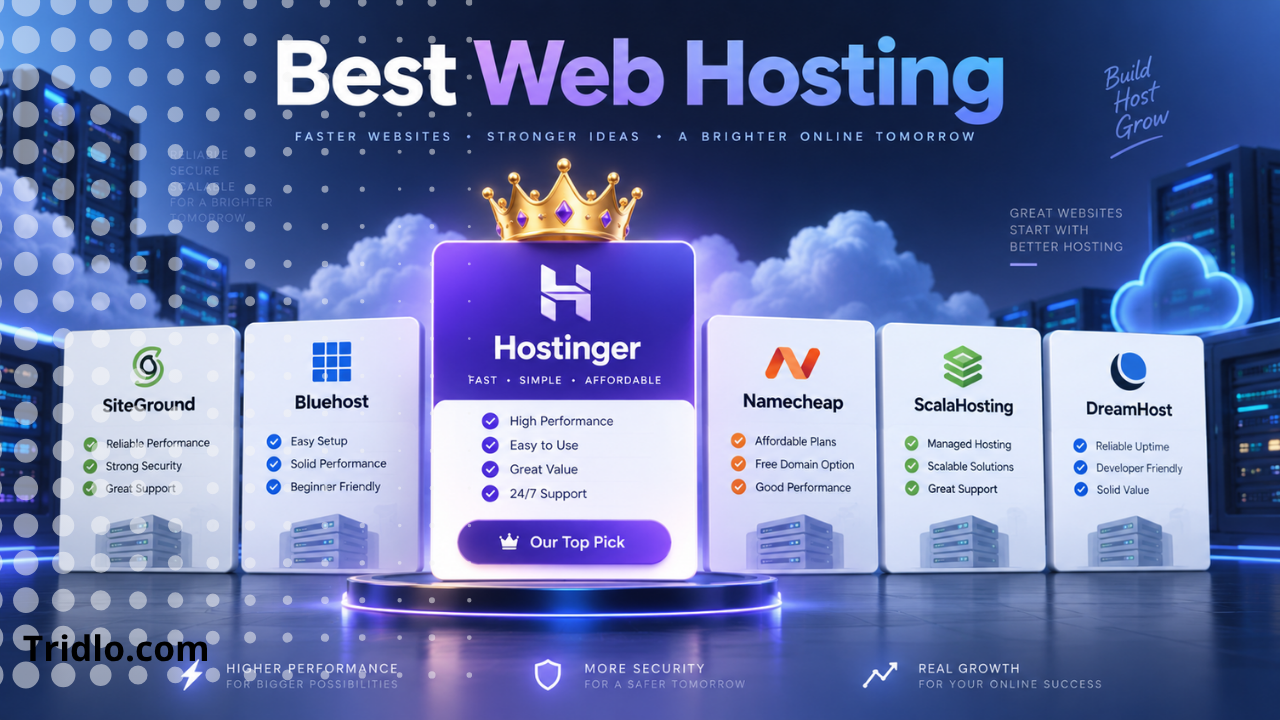
For most new websites, blogs, affiliate sites, and small businesses, Hostinger is our top overall recommendation because it combines an approachable control panel with competitive pricing and a strong collection of essential hosting features. More demanding websites may be better served by providers such as SiteGround, Cloudways, Kinsta, ScalaHosting, or Liquid Web.
This guide will help you figure out which option actually fits your website.
Affiliate Disclosure: This article contains an affiliate link. If you purchase Hostinger through our link, we may earn a commission at no additional cost to you. Our recommendations are based on the features, value, and suitability of the services discussed.
Best Web Hosting Services at a Glance
| Web Host | Best For | Key Strength |
|---|---|---|
| Hostinger | Best overall | Excellent balance of price, ease of use, and features |
| SiteGround | Small businesses | Performance, backups, caching, and support |
| DreamHost | WordPress websites | Simple WordPress hosting and backups |
| Bluehost | WordPress beginners | Beginner-friendly setup and WordPress tools |
| Namecheap | Budget hosting | Affordable shared hosting with cPanel |
| ScalaHosting | Managed cloud hosting | SPanel and scalable managed VPS |
| Cloudways | Growing websites | Flexible managed cloud infrastructure |
| Kinsta | Premium WordPress | High-end managed WordPress platform |
| InMotion Hosting | Business shared hosting | NVMe storage, cPanel, and support |
| Liquid Web | Managed VPS | Dedicated resources and server management |
Independent comparisons also currently identify Hostinger as a strong all-around provider, with SiteGround, ScalaHosting, Namecheap, Bluehost, Kinsta, Cloudways, InMotion Hosting, and Liquid Web serving different types of users.
1. Hostinger — Best Web Hosting Service Overall
If you want a hosting provider that is easy enough for a beginner but still provides enough tools to support a growing website, Hostinger is the strongest all-around choice on this list.
The biggest advantage is balance.
You do not need to understand server administration to launch a site. Hostinger handles much of the technical infrastructure while giving users access to its custom hPanel dashboard for domains, WordPress, files, email, backups, security, and other hosting settings.
Current Hostinger shared hosting plans include features such as SSL certificates, website migration, WordPress support, email options, backups, and AI website-building tools. Higher plans add additional NVMe storage, daily backups, CDN capabilities, and greater resources.
Why We Like Hostinger
For someone starting a blog, business website, portfolio, affiliate website, or content site, Hostinger removes many of the expenses that normally appear separately.
Depending on the plan, you can get:
- Free SSL
- A domain included with eligible plans
- Free website migration
- WordPress hosting
- Website-building tools
- AI-assisted website creation
- Automatic backups
- CDN access
- Professional email options
- 24/7 support
- Ecommerce functionality
- Managed cloud hosting upgrade paths
Hostinger also provides cloud plans for websites that outgrow ordinary shared hosting. Its Cloud Startup tier includes dedicated resources such as CPU and RAM allocations, NVMe storage, a dedicated IP, backups, and CDN functionality while remaining managed by Hostinger.
Hostinger Pricing
Hostinger frequently uses introductory promotions, so you should always check the checkout page rather than assuming an advertised price will remain unchanged.
For example, its U.S. shared-hosting page currently lists the Premium plan at a promotional $2.99 per month when purchasing a 48-month term, with a higher renewal rate. The Unlimited and Cloud Startup tiers cost more but provide additional resources and features.
That distinction matters: compare the total contract price and renewal price—not only the large promotional number on the sales page.
Who Should Choose Hostinger?
Hostinger is particularly well suited to:
- Bloggers
- Affiliate marketers
- Small business owners
- WordPress beginners
- Portfolio websites
- Content publishers
- Freelancers
- Ecommerce startups
- Users managing several websites
Hostinger Pros
Pros
- Beginner-friendly hosting dashboard
- Competitive introductory pricing
- Free website migration
- SSL included
- WordPress support
- AI website-building tools
- Domain available with eligible plans
- Upgrade path from shared to cloud hosting
- Backups included
- Suitable for multiple types of websites
Hostinger Cons
Cons
- The lowest monthly-equivalent pricing generally requires a longer prepaid commitment
- Renewal costs are higher than promotional rates
- Users specifically wanting traditional cPanel may prefer another provider
- Entry-level plans provide fewer resources than higher tiers
Which Hostinger Plan Should You Choose?
For a simple new website, the Premium plan can be enough.
If you expect to build several sites or want additional resources and backup features, moving to one of the higher shared-hosting options can make more sense.
For a business, ecommerce store, agency, or website receiving heavier traffic, Cloud Startup provides significantly more resources than basic shared hosting.
Our Verdict on Hostinger
For the majority of people reading a guide about the best web hosting services, Hostinger offers the strongest combination of affordability, usability, features, and room to grow.
Check the current Hostinger plans and available offers here:
👉 View Hostinger Plans & Current Offers
Prices and promotions can change, so verify the current plan details before purchasing.
2. SiteGround — Best for Small Business Websites
SiteGround is another excellent option, particularly for business owners who care more about managed performance, security, and support than getting the absolute lowest introductory price.
Its hosting infrastructure uses Google Cloud, while built-in caching and CDN technology are designed to improve content delivery.
SiteGround’s current web-hosting packages include SSL, daily backups, a CDN, email, website migration, and WordPress-specific functionality. The company also retains up to 30 days of daily backup history according to its hosting documentation.
Why Choose SiteGround?
SiteGround makes sense when you run a website that generates leads or revenue and want more of the technical optimization handled for you.
Its Site Tools dashboard replaces traditional cPanel and provides access to domains, backups, security, caching, email, WordPress tools, and site-management functions.
Best For
SiteGround is a good match for:
- Small businesses
- Professional WordPress websites
- WooCommerce stores
- Agencies
- Business owners who value technical support
- Websites requiring staging and backup tools
Pros
- Google Cloud infrastructure
- Daily backups
- Free SSL
- Built-in CDN
- Strong WordPress integration
- Site migration options
- Caching and performance tools
- Business email
Cons
The biggest issue is cost.
Its introductory rates can look inexpensive, but renewal prices are substantially higher. SiteGround’s StartUp plan, for example, is currently advertised with a discounted entry price but a considerably higher monthly renewal rate.
That makes SiteGround easier to recommend for businesses than for someone whose primary concern is paying as little as possible.
3. DreamHost — Best for Straightforward WordPress Hosting
DreamHost has been associated with WordPress hosting for many years and remains appealing to website owners who want a relatively straightforward hosting experience.
Current DreamHost hosting features include NVMe storage, automated backups, WordPress migration tools, and 24/7 support. Some managed WordPress plans additionally provide staging, caching, CDN functionality, and enhanced backup controls.
One particularly interesting feature is DreamHost’s starter-site service, where eligible hosting customers can receive assistance setting up an initial website.
Best For
DreamHost works well for:
- WordPress bloggers
- First-time website owners
- Content sites
- Small businesses
- Users moving an existing WordPress installation
Pros
- WordPress-focused hosting
- Automated backups
- NVMe storage
- Migration tools
- SSL support
- 24/7 assistance
- Simple custom dashboard
Cons
Users accustomed to cPanel will find a different control-panel experience, and some advanced managed features are tied to higher-level WordPress products.
DreamHost is a solid choice, but Hostinger may offer a more appealing combination for users who want website-building tools and aggressive introductory pricing.
4. Bluehost — Best for WordPress Beginners
Bluehost remains one of the most recognizable names in WordPress hosting.
Its current Starter hosting package includes WordPress tools, NVMe storage, AI site-creation features, a domain for the first year, a migration tool, CDN access, SSL, managed WordPress updates, and 24/7 chat support.
The provider has also expanded its security and ecommerce features in higher-tier packages.
Why Beginners May Prefer Bluehost
Setting up WordPress is where Bluehost is most comfortable.
Instead of expecting a new user to manually configure every part of a WordPress installation, Bluehost bundles site creation and management tools into its hosting environment.
That reduces the learning curve for someone launching their first blog or business site.
Best For
- First WordPress websites
- Bloggers
- Small businesses
- WooCommerce beginners
- Users who prefer guided website creation
Pros
- Beginner-friendly WordPress workflow
- AI website tools
- Free first-year domain on eligible plans
- SSL
- CDN
- Site migration tool
- Managed WordPress updates
- NVMe storage
Cons
Some security and backup features vary by plan, while renewal pricing is higher than introductory pricing.
For value-focused buyers, compare Bluehost’s total contract cost directly with Hostinger before committing.
5. Namecheap — Best Budget cPanel Hosting
Namecheap is widely known as a domain registrar, but its shared hosting is also worth considering if cost and traditional cPanel management are priorities.
Its entry-level Stellar package currently supports several websites and includes SSD storage, mailboxes, automatic SSL installation, and unmetered bandwidth. Namecheap also supports free website migration and uses cPanel for hosting management.
Higher tiers increase storage and provide additional backup capabilities.
Why Choose Namecheap?
Namecheap makes sense for users who want:
- Low-cost hosting
- cPanel
- Domain and hosting management in one ecosystem
- Multiple email accounts
- Simple shared hosting
- Free migration assistance
Pros
- Affordable entry point
- cPanel management
- SSL included
- Website migration
- Email hosting features
- WordPress installer
- Multiple shared-hosting tiers
Cons
Performance-oriented users may eventually want something more powerful than basic shared hosting, particularly for large WooCommerce stores or resource-intensive WordPress websites.
For a simple site, however, Namecheap remains an attractive budget option.
6. ScalaHosting — Best for Managed Cloud VPS
ScalaHosting becomes particularly interesting when you move beyond ordinary shared hosting.
Its emphasis is managed cloud VPS hosting and its proprietary SPanel hosting-management platform.
SPanel is designed as an alternative to conventional hosting panels and integrates website and server management functionality into ScalaHosting’s cloud infrastructure.
Independent testing also highlights ScalaHosting as a strong choice for ecommerce and scalable cloud hosting.
Best For
- Ecommerce websites
- Growing WordPress sites
- Agencies
- Developers
- Website owners moving beyond shared hosting
- Businesses wanting managed VPS infrastructure
Pros
- Managed cloud VPS focus
- SPanel control system
- Scalable resources
- Suitable for higher-demand projects
- Security-focused hosting environment
Cons
A beginner building a single small blog probably does not need a managed VPS.
ScalaHosting becomes more compelling after your traffic, ecommerce activity, or resource requirements have moved beyond entry-level hosting.
7. Cloudways — Best for Flexible Managed Cloud Hosting
Cloudways takes a different approach from conventional shared-hosting companies.
Instead of placing your website on a traditional shared plan, Cloudways provides a managed layer over cloud infrastructure.
That gives users more flexibility and scalability while reducing the amount of server administration they need to perform themselves.
Current Cloudways features include managed migration, staging environments, backups, SSL, security tooling, caching options, 24/7 support, and cloud-server configurations.
Why Use Cloudways?
Cloudways makes sense when you’ve reached the point where shared hosting feels restrictive but you do not want to become your own system administrator.
It is particularly attractive for WordPress and WooCommerce websites experiencing meaningful growth.
Best For
- High-traffic WordPress sites
- WooCommerce stores
- Agencies
- Developers
- Growing online businesses
- Websites requiring cloud scalability
Pros
- Managed cloud infrastructure
- Staging
- Automated backups
- SSL
- Advanced caching
- Migration support
- 24/7 assistance
- Scalability
Cons
Cloud hosting has more moving parts than a basic shared-hosting package.
For a first website, Hostinger or Bluehost will usually be easier to understand. Cloudways makes more sense once your website actually needs the additional flexibility.
8. Kinsta — Best Premium Managed WordPress Hosting
Kinsta is not trying to be the cheapest hosting company on this list.
It targets users who value managed WordPress performance, workflow tools, staging, migrations, security, and professional site management enough to pay more for them.
Current Kinsta plans include WordPress installations, CDN bandwidth, staging environments, automatic backups, migrations, and 24/7 support. Its MyKinsta interface provides tools for cache management, backups, redirects, PHP settings, analytics, and debugging.
Best For
- Established WordPress sites
- Publishers
- Agencies
- High-value business websites
- Client websites
- Professional developers
Pros
- Managed WordPress environment
- CDN
- Daily backups
- Staging
- Free migrations
- Performance-monitoring tools
- Strong security stack
- Site-management dashboard
Cons
Price is the obvious disadvantage.
Kinsta is difficult to justify for a new blog with almost no traffic. It makes considerably more sense when downtime, performance issues, or developer time already cost your business money.
9. InMotion Hosting — Best Traditional Business Hosting
InMotion Hosting is an appealing option for users who prefer traditional cPanel-based hosting with generous resources.
Current shared plans include features such as NVMe storage, SSL, malware and DDoS protection, website migration, a domain, email, and 24/7 human support. Some plans also carry a 99.99% uptime guarantee.
The company also offers a relatively long money-back period on qualifying shared hosting plans.
Best For
- Small business sites
- Users who prefer cPanel
- Developers
- Multi-site hosting
- Business email users
Pros
- NVMe storage
- cPanel
- Free SSL
- Website migration
- Security features
- Developer tools
- 24/7 support
Cons
InMotion’s introductory pricing is not always as aggressive as the cheapest providers, and renewal rates need to be considered when comparing long-term cost.
Still, it remains a solid traditional hosting option.
10. Liquid Web — Best for Managed VPS Hosting
Liquid Web sits at a different end of the hosting market.
Rather than competing primarily for users building their first $3-per-month blog, Liquid Web specializes in more demanding managed infrastructure.
Its managed VPS environment offers dedicated resources, server monitoring, migration assistance, SSD-based infrastructure, security tools, backups, and management options.
Best For
- High-traffic businesses
- Mission-critical websites
- Web applications
- Agencies
- Developers
- Companies needing managed VPS infrastructure
Pros
- Managed VPS
- Dedicated server resources
- Monitoring
- Backup options
- DDoS and firewall protection
- Migration assistance
- Root-level control where applicable
- 24/7 managed support options
Cons
Liquid Web is overkill for most first-time website owners.
If you are launching a blog, affiliate site, portfolio, or small company website, begin with a quality shared or managed WordPress package instead.
Move to infrastructure such as Liquid Web when your traffic or applications actually justify the added cost.
How We Compare Web Hosting Providers
Ranking a hosting company based only on price would be misleading.
A $2 hosting package is not automatically better than a $10 package, just as an expensive managed hosting plan is not automatically necessary for a small blog.
These are the criteria that matter most.
Performance
A hosting server needs enough processing power, memory, storage performance, caching, and network capacity to deliver pages consistently.
NVMe storage, server-level caching, modern PHP support, CDNs, and optimized WordPress stacks can all contribute to faster delivery.
But remember: hosting alone does not determine website speed.
Your WordPress theme, plugins, images, database, scripts, advertising technology, and page design also matter.
Reliability and Uptime
A website that frequently becomes unavailable is useless regardless of how inexpensive the hosting plan is.
Look for a provider with a clear uptime commitment and a track record of operating reliable infrastructure.
Backups
Backups are one of the most underrated hosting features.
You may not care about them until an update fails, a plugin breaks your website, malware damages files, or you accidentally remove something important.
Automatic backups and simple restore options can save hours of work.
Security
At minimum, modern hosting should make SSL easy.
Additional protection may include:
- DDoS mitigation
- Malware scanning
- Web application firewalls
- Bot protection
- Server monitoring
- Automatic security patches
- Account-level security tools
Do not assume hosting security eliminates the need to maintain WordPress itself.
Keep themes, plugins, passwords, and administrator accounts secure as well.
Customer Support
Hosting problems often happen at inconvenient times.
Good documentation is useful, but access to knowledgeable support can be even more valuable when your website is down.
Look at:
- Support availability
- Live chat
- Ticket support
- Phone support
- Technical expertise
- Migration assistance
Ease of Use
Beginners usually benefit from a managed dashboard rather than raw server administration.
Hostinger uses hPanel, SiteGround uses Site Tools, Kinsta provides MyKinsta, and many traditional hosts such as Namecheap and InMotion use cPanel.
There is no universally superior panel. The best one is the one that makes common tasks easy for you.
Shared Hosting vs WordPress Hosting vs Cloud Hosting vs VPS
Understanding the major hosting categories will make your decision much easier.
Shared Hosting
Shared hosting places multiple customers on the same underlying server infrastructure.
It is usually the cheapest option.
Best for:
- New websites
- Blogs
- Small businesses
- Portfolios
- Low-to-moderate traffic sites
For most beginners, this is where you should start.
WordPress Hosting
WordPress hosting is configured specifically for WordPress.
Depending on the provider, this can include:
- Automatic WordPress installation
- Updates
- Caching
- Security
- Backups
- Staging
- WordPress-specific support
Managed WordPress hosting is usually more expensive but reduces technical maintenance.
Cloud Hosting
Cloud hosting distributes workloads through cloud infrastructure rather than depending entirely on a traditional single-server arrangement.
It generally provides better scalability.
It is useful for growing businesses, ecommerce stores, and sites with fluctuating traffic.
VPS Hosting
A Virtual Private Server gives you isolated computing resources within a virtualized server environment.
VPS hosting gives you greater control and usually more predictable resources than basic shared hosting.
Managed VPS is ideal if you need the resources but do not want to maintain the server yourself.
Dedicated Hosting
Dedicated hosting gives you an entire physical server.
Most website owners do not need it.
Dedicated infrastructure is normally reserved for highly demanding applications, businesses with unusual configurations, or organizations requiring extensive control.
How Much Should You Pay for Web Hosting?
There is no correct price for everyone.
A beginner creating a personal blog may be perfectly happy with an inexpensive shared-hosting plan.
A business processing thousands of transactions each day has very different requirements.
Instead of asking:
“Which host has the lowest monthly price?”
Ask:
“What will this hosting plan cost me over the full contract, and does it provide the resources my website needs?”
This is important because hosting companies commonly advertise introductory discounts.
The amount charged at renewal may be significantly higher.
Before buying, check:
- Initial contract cost
- Contract length
- Renewal rate
- Domain renewal cost
- Email charges
- Backup costs
- Migration fees
- CDN charges
- Security add-ons
- Cancellation and refund terms
A slightly more expensive package can actually provide better value if it includes services you would otherwise have to purchase separately.
Does Web Hosting Affect SEO?
Web hosting can influence several technical aspects of your website, but buying expensive hosting does not automatically improve Google rankings.
Hosting can affect:
- Server response time
- Page loading performance
- Availability
- Crawl accessibility during outages
- User experience
- Ability to handle traffic spikes
However, SEO also depends heavily on content quality, search intent, website architecture, internal links, backlinks, usability, and technical optimization.
Choose reliable hosting because it provides a better foundation for your website—not because a hosting company promises instant rankings.
What Is the Best Web Hosting for WordPress?
For beginners and value-focused website owners, Hostinger and Bluehost are two of the easiest options to consider.
Hostinger provides WordPress hosting alongside its website-building tools, migration features, SSL, backups, domain options, and higher-resource upgrade paths.
Bluehost provides a similarly beginner-focused WordPress environment with AI site creation, managed updates, CDN capabilities, and migration tools.
SiteGround is appealing to businesses wanting stronger managed features, while Kinsta becomes more compelling for professional and higher-value WordPress websites.
The right answer depends on where your website is today—not where you hope it will be five years from now.
What Is the Best Cheap Web Hosting?
If price is your main concern, Hostinger and Namecheap deserve serious consideration.
Namecheap offers very inexpensive entry-level shared hosting and traditional cPanel management.
Hostinger combines competitive introductory pricing with website-building tools, WordPress support, migration, SSL, and several upgrade paths.
For most beginners, we would choose Hostinger because it gives you more room to build and expand your website without immediately moving to a completely different hosting environment.
👉 Check Hostinger’s Current Hosting Deals
What Is the Best Hosting for a Small Business?
A small-business website needs more than storage space.
You should prioritize:
- Reliable uptime
- Fast loading
- SSL
- Backups
- Professional email
- Responsive support
- Simple management
- Room to scale
For a small company trying to control costs, Hostinger offers an attractive balance.
For businesses willing to spend more for managed performance and support, SiteGround is also an excellent candidate.
If the website becomes a critical revenue-generating platform, cloud or managed WordPress hosting may eventually make more sense.
When Should You Upgrade Your Hosting?
You do not need a VPS simply because someone online says VPS hosting is better.
Upgrade when there is a reason.
Common signs include:
- Repeated resource-limit warnings
- Slow performance during traffic spikes
- Rapidly increasing WooCommerce traffic
- Large databases
- Multiple high-traffic websites
- CPU or memory bottlenecks
- Complex applications
- Need for isolated resources
- Greater server configuration requirements
If your current hosting loads your website quickly and reliably, upgrading may not provide any meaningful benefit.
Spend the money where it matters.
How to Choose the Best Web Hosting Service
Before clicking the checkout button, answer these questions.
How many websites will you host?
Some entry-level plans support only one or a few websites, while others support many.
Are you using WordPress?
If yes, prioritize WordPress installation, migration, backups, caching, staging, and support.
Do you need business email?
Do not assume email is permanently included.
Check the limitations and renewal conditions.
Will you sell products?
WooCommerce and ecommerce websites consume more resources than a basic blog.
Choose a host with enough performance headroom.
Where is your audience?
Server location and CDN availability can influence how quickly content reaches visitors in different regions.
How much technical control do you want?
Beginners usually prefer managed hosting.
Developers may prefer VPS or cloud platforms with greater server control.
What happens after the promotional period?
Always check the renewal rate.
That single number can completely change which provider represents the best long-term value.
Our Final Recommendation
There is no single host that is perfect for every website.
Kinsta is better suited to premium managed WordPress customers than someone creating their first personal blog.
Liquid Web makes more sense for a business needing a managed VPS than a beginner trying to launch a three-page portfolio.
Cloudways becomes attractive when scalability and cloud infrastructure matter.
SiteGround is a strong option for professional small-business websites.
Namecheap remains appealing for inexpensive cPanel hosting.
But for the broadest group of website owners—particularly beginners, bloggers, affiliate marketers, freelancers, and small businesses—Hostinger is the provider we would start with.
It offers a strong balance of affordability, usability, WordPress functionality, migration options, SSL, backups, website creation tools, and clear upgrade paths as a project grows.
Just remember to compare the promotional price with the renewal rate before purchasing.
👉 View Hostinger Plans and Current Offers
Affiliate disclosure: We may receive a commission if you sign up through the link above. This does not increase the price you pay.
Frequently Asked Questions
What is the best web hosting service overall?
Hostinger is our top overall choice for most new websites because it combines competitive pricing, WordPress support, website migration, SSL, backups, website-building tools, and several upgrade options. Larger or more demanding websites may be better served by providers such as SiteGround, Cloudways, Kinsta, or Liquid Web.
Which web hosting is best for beginners?
Hostinger and Bluehost are both beginner-friendly choices. They provide guided website creation and WordPress tools that reduce the amount of technical server management required.
What is the best web hosting for a small business?
Hostinger offers strong value for cost-conscious small businesses, while SiteGround is attractive for companies prioritizing managed performance, backups, security, and support.
Is cheap web hosting good enough?
Yes, for many new websites. A quality shared-hosting package can comfortably support a blog, portfolio, affiliate site, or small business website. Upgrade only when your traffic or resource requirements justify it.
Do I need VPS hosting for WordPress?
Usually not when starting. Shared or managed WordPress hosting is enough for many sites. VPS hosting becomes more useful when you require isolated resources, greater server control, or additional capacity.
Can I change web hosting providers later?
Yes. Most websites can be migrated to another hosting provider. Several companies in this comparison provide automated or assisted migration services, although the exact migration rules depend on the provider and plan. Hostinger, SiteGround, Namecheap, Bluehost, DreamHost, Kinsta, and InMotion currently advertise migration options.



Comments are closed.