



This guide provides a structured overview of WordPress hosting and its impact on site performance. It outlines hosting types, essential features, and practical considerations for selecting a plan that aligns with site goals. Concrete examples and industry context are used to support a clear decision-making process.
Why hosting matters for WordPress
Hosting forms the foundation of reliability, speed, and security for a WordPress site. The hosting environment directly influences load times, uptime, and how well the site scales with traffic. A well-chosen host reduces maintenance overhead and supports manageable growth.
Understanding WordPress Hosting and Its Role in Website Performance
WordPress hosting refers to an environment optimized for WordPress software, including configuration, updates, and security considerations. Performance is driven by server resources, caching strategies, and maintenance routines integrated into the hosting plan.
What Makes WordPress Hosting Different
WordPress hosting emphasizes compatibility with WordPress core updates, plugin management, and specific optimizations such as edge caching and automatic backups. Distinctions often appear in managed services, security hardening, and support responsiveness.
How Hosting Affects WordPress Speed and Uptime
Speed and uptime hinge on server performance, network routing, and data center provisioning. Features like 24/7 support, automatic backups, and caching layers directly correlate with user experience and site resilience.
Why Server Resources Matter for Your Website
CPU, memory, storage, and bandwidth determine how quickly pages render and how many concurrent users can be served. Resource planning supports stable performance during traffic spikes and content updates.
Choosing the Right Hosting Type for Your WordPress Website
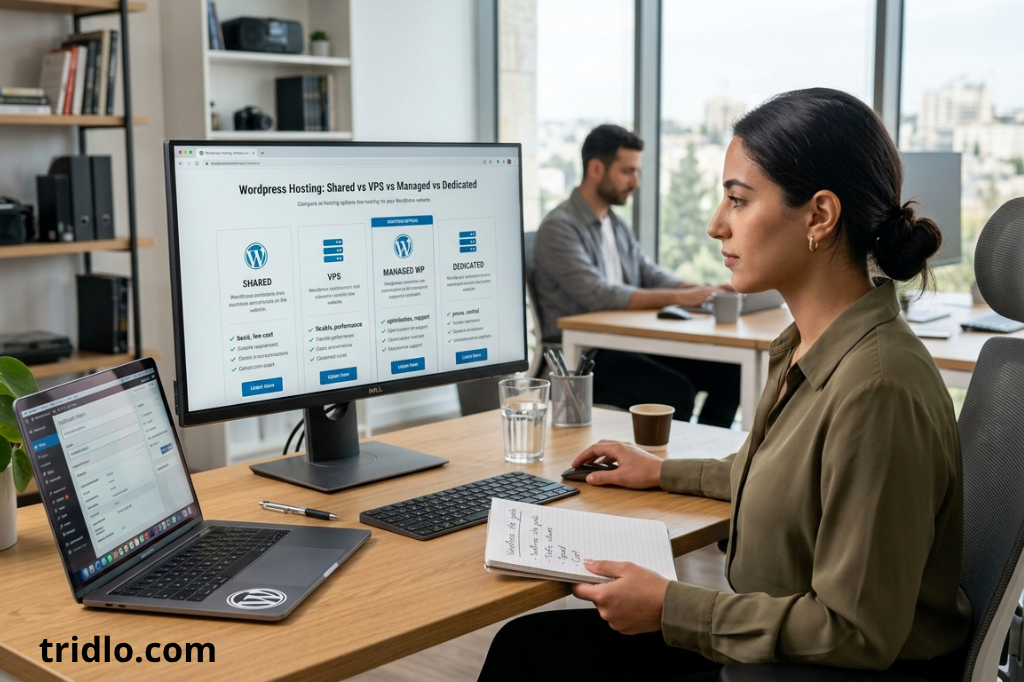
Shared Hosting for New and Small Websites
Shared hosting provides a cost effective entry point for new WordPress sites. It pools server resources among multiple users, which keeps margins low and access straightforward. For small blogs or hobby sites, this setup often suffices to maintain basic performance.
Key considerations include predictable pricing, limited isolation from other sites, and potential performance variability during traffic spikes. Many providers offer one-click WordPress installation, basic security features, and standard support channels that align with beginner needs.
- Affordability and simplicity for beginners
- Shared resources, which may impact speed during high load
- Often includes essential WordPress tooling and automatic updates
Managed WordPress Hosting for Hassle-Free Management
Managed WordPress hosting delivers a turnkey environment tailored for WordPress. Providers optimize server configurations, security, and updates, reducing administrative overhead. This option suits sites seeking consistent performance with less manual maintenance.
Expect proactive features such as automatic core and plugin updates, performance enhancements, and dedicated support trained in WordPress specifics. It is typically positioned as a balance between cost and operational ease for growing sites.
- Optimized stack for WordPress performance
- Automatic backups and updates
- Enhanced security measures and expert support
VPS and Cloud Solutions for Growing Websites
VPS and cloud hosting offer scalable resources to accommodate rising traffic and complex workloads. These environments provide greater control over server settings while maintaining a clear performance boundary. They are appropriate for businesses planning expansion or requiring custom configurations.
Key attributes include defined resource limits, flexible scaling, and options for dedicated IPs or advanced caching. Migration considerations and potential management overhead should be evaluated against planned growth trajectories.
- Greater control and predictable scalability
- Suitable for higher traffic and custom configurations
- Requires more management or a managed layer for simplicity
Essential Features to Look for in a Reliable Hosting Provider
Security Features That Protect Your Website
Security is a core consideration when selecting a hosting provider. A reliable option implements multiple layers of protection to mitigate common threats and minimize downtime. This includes firewall rules, malware scanning, and regular security patches aligned with WordPress requirements.
- Web application firewall with WordPress-aware rules
- Malware scanning and removal capabilities
- Regular security hardening aligned with core and plugin updates
Automatic Backups, Updates, and Technical Support
Automated backups and updates reduce manual maintenance and help preserve data integrity. Solid support coverage ensures issues are resolved promptly, especially during migrations or performance tuning. A predictable backup cadence supports recovery planning.
- Daily or near-daily automatic backups with easy restoration
- Automatic core and plugin updates or controlled update management
- 24/7 expert support with WordPress-specific knowledge
Scalability and Resources for Future Growth
Scalability considerations include flexible resource allocation, predictable performance under load, and clear upgrade paths. Providers should offer scalable plans or easy transitions to higher tiers as traffic or complexity increases.
- Defined CPU, memory, and storage growth options
- Transparent upgrade paths with minimal downtime
- Edge caching and CDN integrations to handle traffic spikes
Finding the Best Hosting Plan for Your Website Needs
Hosting Options for Blogs and Personal Websites
Blogs and personal sites typically require cost efficiency, reliable uptime, and simple management. A plan with solid uptime guarantees, easy WordPress installation, and basic security features supports straightforward growth without added complexity.
- Low-to-mid tier plans with automatic updates and backups
- One-click WordPress installation and user-friendly control panel
- Included CDN or edge caching to improve global accessibility
Business and E-Commerce Hosting Requirements
Business sites and online stores demand higher performance, security, and scalability. Plans should offer robust isolation, increased resources, and features such as integrated e-commerce plugins, SSL management, and enhanced backup options. Consider providers with PCI-compliant payments and reliable uptime under higher load.
- Dedicated resources or premium shared environments for consistent speed
- Enhanced security with regular patches and firewall protections
- Scalable caching, staging environments, and seamless plugin management
How to Compare Pricing, Performance, and Value
Value reflects the balance of cost, features, and reliability. Evaluate plan tiers side by side to determine where performance advantages justify the price. Consider renewal costs, included features, and any essential add-ons for your site strategy.
| Comparison Dimension | Key Considerations | What to Look For |
|---|---|---|
| Pricing | Initial vs renewal rates, any overage charges | Transparent pricing with clear upgrade paths |
| Performance | CPU, memory, storage, and caching capabilities | Consistent response times under typical traffic |
| Features | Backups, updates, security, CDN, staging environments | Inclusive tools that reduce manual maintenance |
WordPress Hosting Migration and Common Mistakes to Avoi
Scalability and workload management
Migration planning should address growth with clear resource projections. Assess whether the chosen hosting environment supports elastic scaling, automated load balancing, and configurable limits for CPU and memory. This foresight helps maintain performance during traffic spikes and content expansion.
- Define target traffic ranges and corresponding resource tiers
- Confirm availability of scalable storage with predictable pricing
- Evaluate caching strategies and CDN integration to mitigate load
Support and features
Support quality and feature sets influence migration success. Prioritize providers offering WordPress-specific guidance, prompt ticket resolution, and accessible migration tooling. A robust feature suite reduces manual intervention and accelerates onboarding.
- 24/7 WordPress-aware support and transparent escalation paths
- Managed migration assistance with minimal downtime guarantees
- Integrated backups, staging environments, and security hardening during cutover
| Migration Aspect | Key Considerations | What to Verify |
|---|---|---|
| Downtime risk | Time required for DNS updates and server handoff | Estimated cutover window and rollback plan |
| Data integrity | Backup verifications before and after migration | Restore test success and verification procedures |
| Compatibility | WordPress core, plugin, and theme compatibility with the new environment | Pre-migration compatibility checks and staging validation |
Liquid Web: Premium Hosting for Maximum Speed
Liquid Web positions itself as a premium hosting option designed to deliver high performance for WordPress sites. The service emphasizes optimized stack configurations, dedicated resources, and enterprise-grade support to sustain fast load times and reliable uptime under heavier traffic. This section highlights practical considerations for teams evaluating a move to Liquid Web as part of a broader hosting strategy.
When Should You Move to a Better Hosting Provider
Consider a transition when current hosting shows sustained performance bottlenecks, frequent maintenance windows, or insufficient scalability for growth. In addition, evaluate whether you require dedicated resources, advanced security tooling, and proactive monitoring that aligns with a growing WordPress environment. A move may also be prudent when existing outages impact customer experience or revenue streams.
- Consistent slow page responses during peak traffic
- Need for isolated resources to avoid noisy neighbors
- Desire for advanced monitoring and priority support
How to Migrate Your Website Without Downtime
The migration process should minimize disruption by leveraging staged transfers, DNS planning, and careful cutover execution. Use a staging environment to validate changes before going live, and coordinate with the hosting provider to implement a controlled switchover. A tested rollback plan reduces risk in case of unexpected issues.
- Set up a staging copy for final validation
- Coordinate DNS transition with low TTL values
- Verify backups and perform a dry run of the cutover
Common Hosting Mistakes That Can Hurt Website Performance
Avoid missteps that impede speed and reliability by ensuring proper resource allocation, caching configuration, and security practices. Overlooking automated backups or underestimating the importance of edge caching can lead to slower responses and greater risk during updates. Focus on a balanced blend of performance tools and robust support services.
- Underprovisioned CPU or memory during traffic growth
- Misconfigured caching layers or missing CDN integration
- Neglecting regular backups and security patching
| Aspect | Liquid Web Advantage | What to Confirm |
|---|---|---|
| Resource allocation | Dedicated resources and scalable plans | Clear limits and upgrade paths |
| Support | 24/7 WordPress-focused experts | Response times and migration assistance |
| Performance tools | Optimized stack with edge caching options | Verified caching and CDN configurations |
Ionos: Affordable Plans with Strong Uptime
Ionos positions itself as an accessible option for WordPress hosting with a focus on predictable pricing and dependable availability. The provider emphasizes bundled features designed to support small to mid sized sites while keeping costs transparent. This section outlines how pricing dynamics and included features align with typical WordPress hosting requirements.
Pricing dynamics
Pricing models for Ionos typically combine low introductory rates with renewal pricing that remains competitive within the market. Plans generally include core WordPress hosting components at a shared level, enabling budget-conscious sites to access essential functionality with reliable uptime. Prospects should review renewal terms to understand total cost of ownership over time.
- Introductory pricing that scales with plan tier
- Renewal rates that are commonly higher than initial offers
- Bundled domains or SSL certificates included on select plans
Reliability and included features
Uptime guarantees and performance improvements are central to Ionos offerings, prioritizing stable server environments and baseline security. Included features typically cover automatic backups, basic caching, and essential protections suitable for standard WordPress installations. The platform aims to provide straightforward management tools appropriate for small teams and individual site owners.
| Aspect | Ionos Approach | What to Verify |
|---|---|---|
| Pricing | Low introductory rates with plan tier progression | Understand renewal pricing and any add-ons |
| Included features | Automatic backups, basic caching, standard security | Scope of backups, caching depth, and patching frequency |
| Uptime and reliability | Emphasis on stable environments for WordPress sites | Service-level commitments and historical performance |
How to Match Hosting to Your Website Type
Blogs vs. business sites vs. stores
Site type influences hosting requirements. Blogs typically require cost efficiency and straightforward management, while business sites demand reliability, security, and responsive support. Stores must handle peak traffic with secure payments and scalable resources. Aligning the hosting plan with the site purpose helps maintain consistent performance without unnecessary provisioning.
- Blogs: affordable plans with reliable backups and basic security
- Business sites: balanced features including automated backups and 24/7 support
- Stores: high performance, secure payments, and scalable resources
Traffic levels and growth projections
Evaluate current traffic and anticipated growth to determine resource needs. For rising volumes, prefer hosting environments with scalable options and clear upgrade paths. Edge caching and CDN integration become more impactful as visitor counts increase, reducing server load during spikes.
| Site Type | Recommended Focus | Scalability Considerations |
|---|---|---|
| Blogs | Cost-efficient plans with reliable backups | Simple upgrades within shared or modular plans |
| Business sites | Security, performance, and support tooling | From shared to managed or VPS as needs grow |
| Stores | High performance, secure payments, and uptime | Auto-scaling and larger plan allocations |
FAQ
What is WordPress hosting, and how is it different from regular web hosting?
WordPress hosting is a hosting solution optimized for WordPress sites, providing features such as pre-installed WordPress, automatic updates, and environment configurations tailored to WordPress requirements. Regular web hosting may offer generic server setups that require manual WordPress installation and ongoing maintenance.
Differences to note include:
- Pre-configured WordPress environments versus general hosting setups
- Enhanced security and performance optimizations specific to WordPress
- Simplified management through WordPress-focused tools and dashboards
How do I choose the best WordPress hosting for my website?
Consider the hosting environment, reliability, and support quality aligned to your site type. Evaluate factors such as performance, uptime guarantees, security measures, and backup routines. Compare plans from leading providers to identify the option that best matches your growth trajectory.
- Hosting environment suitability for WordPress requirements
- 24/7 support availability and response times
- Automatic backups and secure update processes
How much does reliable WordPress hosting typically cost?
Costs vary by service level and included features. Basic WordPress hosting tends to be economical, while managed WordPress hosting with advanced performance tools and dedicated support commands higher pricing. Review total cost of ownership, including renewal rates and any add-ons.
| Scenario | Typical Range | Key Considerations |
|---|---|---|
| Shared WordPress hosting | Lower monthly cost | Limited resources, adequate for small sites |
| Managed WordPress hosting | Moderate to higher cost | Optimized for WordPress, includes updates and support |
| VPS or cloud WordPress hosting | Higher cost | Scalability and performance for growing sites |
Can I switch my WordPress website to a different hosting provider later?
Yes, migration is feasible with minimal downtime when planned carefully. Prepare a migration checklist, verify compatibility, and ensure data integrity during transfer. Many providers offer migration assistance as part of their service.
Conclusion
Selecting the appropriate WordPress hosting provider requires alignment of the hosting environment with the site’s specific objectives. tridlo.com emphasizes reliability, security, and scalability as core criteria, while maintaining awareness of total cost of ownership.
Key takeaways for final decisionmaking include:
- Evaluate hosting environments that meet WordPress requirements without unnecessary overprovisioning.
- Prioritize providers that deliver automatic backups, around‑the‑clock support, and strong security measures to protect data.
- Plan for growth by choosing plans with straightforward upgrade paths and scalable resources.
When assessing plans, reference practical comparisons based on real‑world usage, including performance benchmarks, update cadences, and recovery options. This disciplined approach supports a stable, fast, and secure WordPress presence over time.
For clarity, document the migration path and evaluate potential disruptions before selecting a provider. The process should emphasize transparent migration practices and align with industry standards to sustain ongoing site health and user experience.


